PingPal: Send Alarm to Another Phone
Connect your friend and send a surprise alarm for their wake-up time.
Request from
@user
Wake up time
08:00



Connect your friend and send a surprise alarm for their wake-up time.
Request from
@user
Wake up time
08:00
Wondering how to send an alarm to someone's phone? It's simple, fast, and fully customizable.
Start by selecting the wake-up time and choosing a base card. You might ask, can I send an alarm to another iPhone or Android? Yes! With our cross-platform design, just use the create card button to customize the video, image background, and music to make it the perfect surprise.
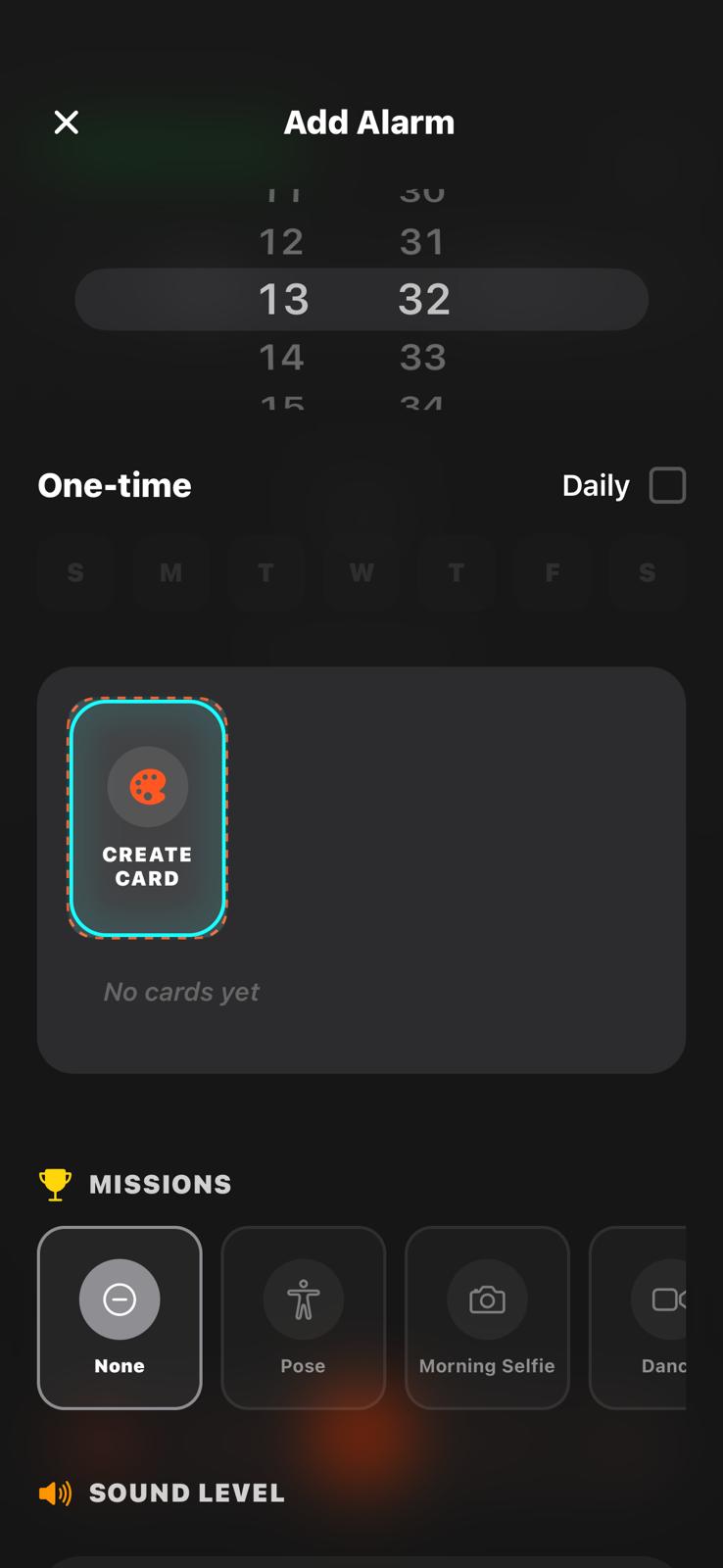
Ensure they actually wake up by adding an interactive mission! Select from engaging challenges like a morning selfie proof, a short video proof, or a fun mimic pose proof. It's the most effective method when you're looking for how to send an alert to someone's phone to wake them up.
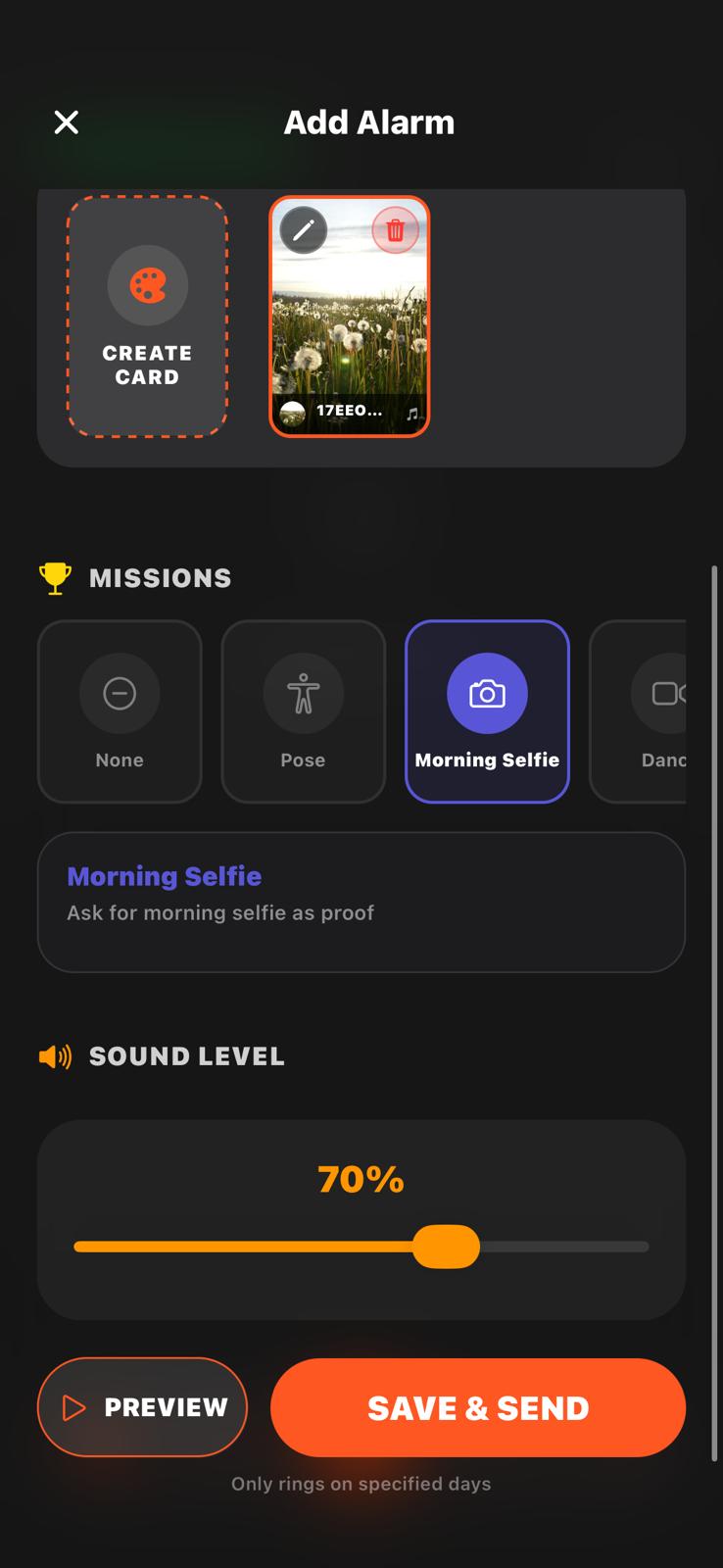
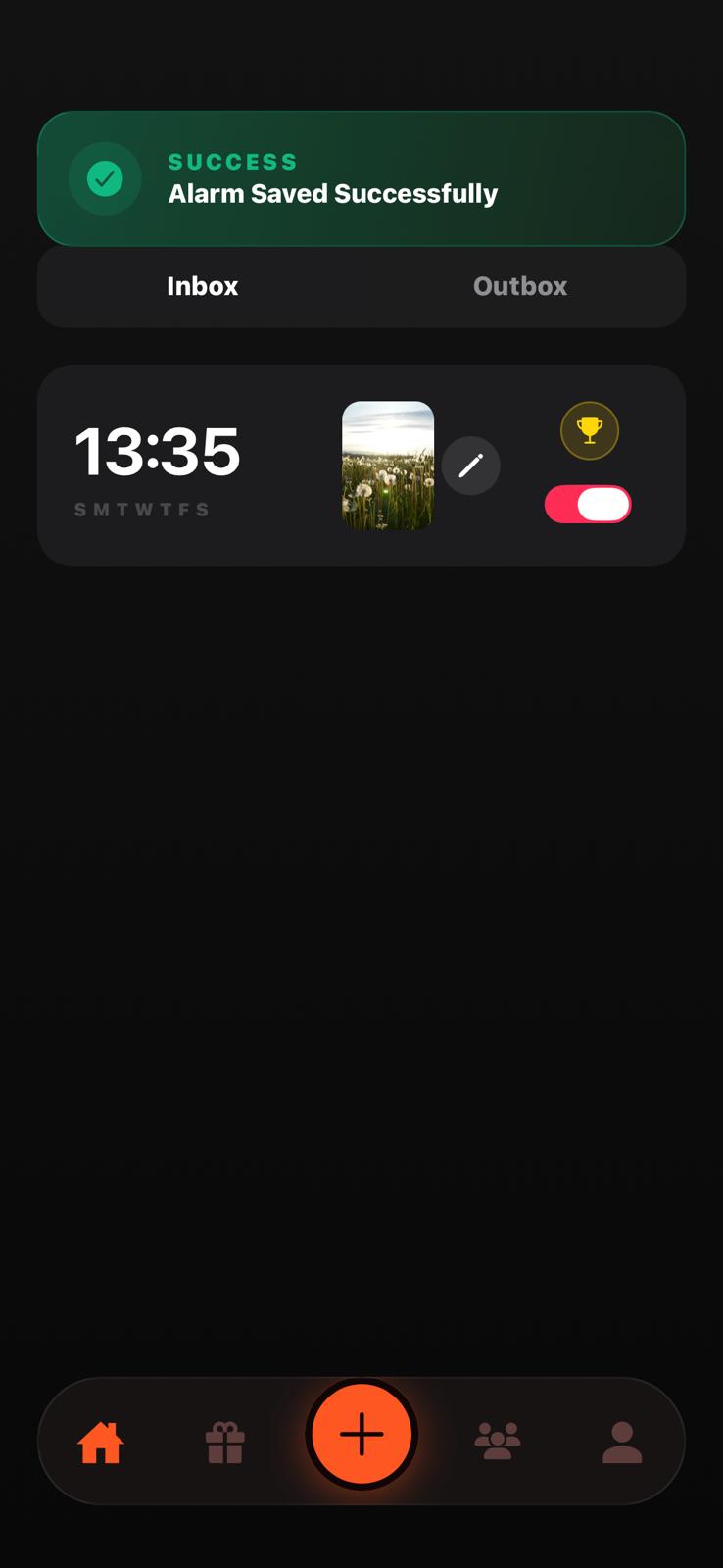
Once customized, save the alarm. You'll instantly see an "alarm saved successfully" alert on your home screen along with the scheduled time. It is incredibly easy to send alert to someone's phone directly through the app or by sharing a link.
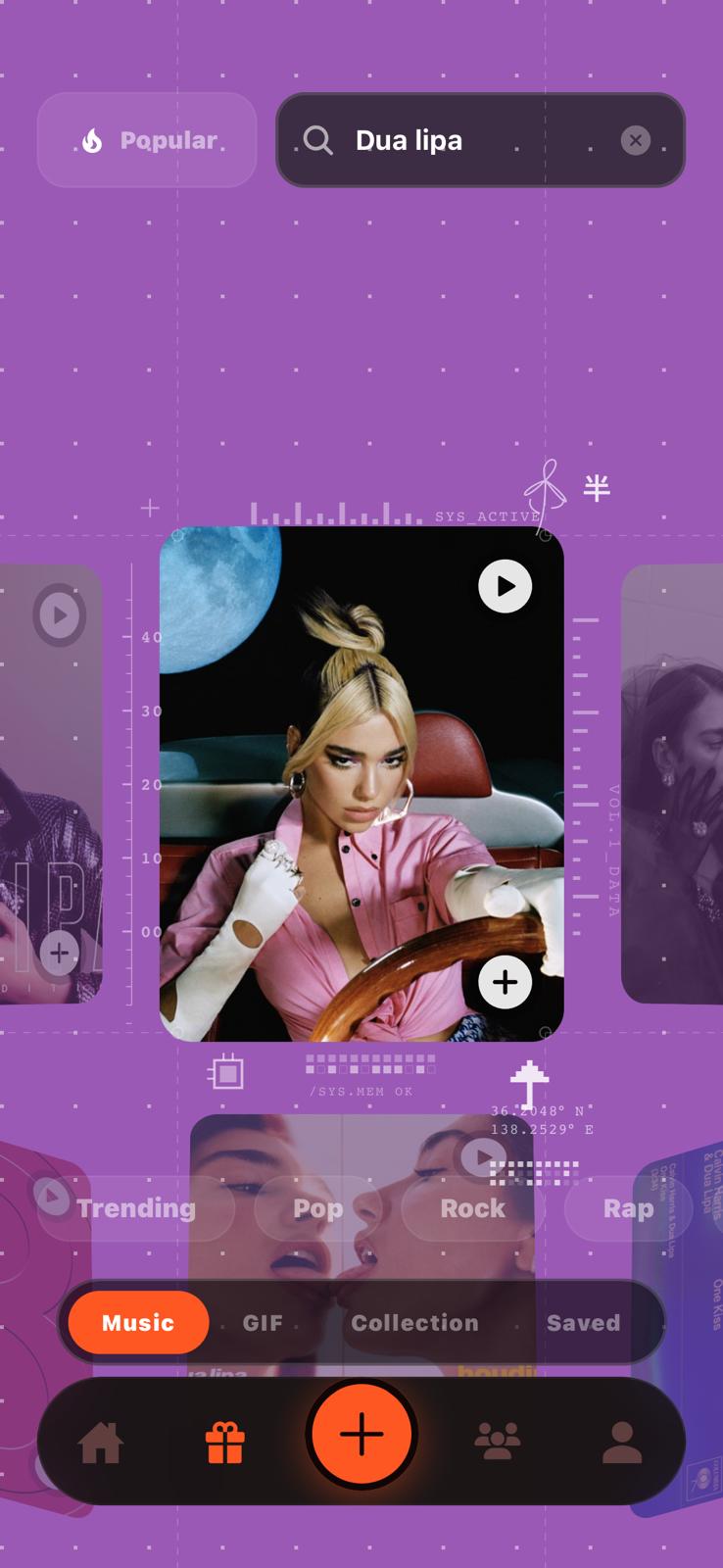
If you are wondering how to send an alert to someone's phone that they'll truly remember, dive into our music selection part. Use the search bar to find and select any music or sound effect to completely customize the wake-up experience.
PingPal isn't just for friends—it's a powerful tool for families. Worried about how to find kids who are oversleeping or ignoring texts? Now you know exactly how to send an alarm to someone's phone and guarantee it gets noticed. Our app ensures it sends an alert and alarm even in silent mode or Do Not Disturb. Parents can instantly see if the child sends proof, opens the alarm, and answers it. It's the most reliable way to make sure they're awake and ready for the day!
When you create and send an alarm, your friend receives it and it rings at the scheduled time. You can see if your friend has received or reacted to the alarm.
Yes! PingPal is completely cross-platform, so it works seamlessly between iOS and Android devices.
Yes! Since PingPal acts as a system alarm, it will still ring even if the phone is in silent or do-not-disturb mode.
You can customize the background (with images, videos, or GIFs), the sound (using music or a voice recording), and set interactive missions. Missions don't stop the alarm—they serve as wake-up proof!
Missions include "Mimic Pose" (imitating a specific pose), "Morning Selfie" (snapping a random selfie), and "Dance Video" (recording a 10-second dance). These act as proof that your friend is actually awake.
There are two easy options: you can add them as a friend directly in the app, or send them a custom link via your favorite messaging app.